The current action
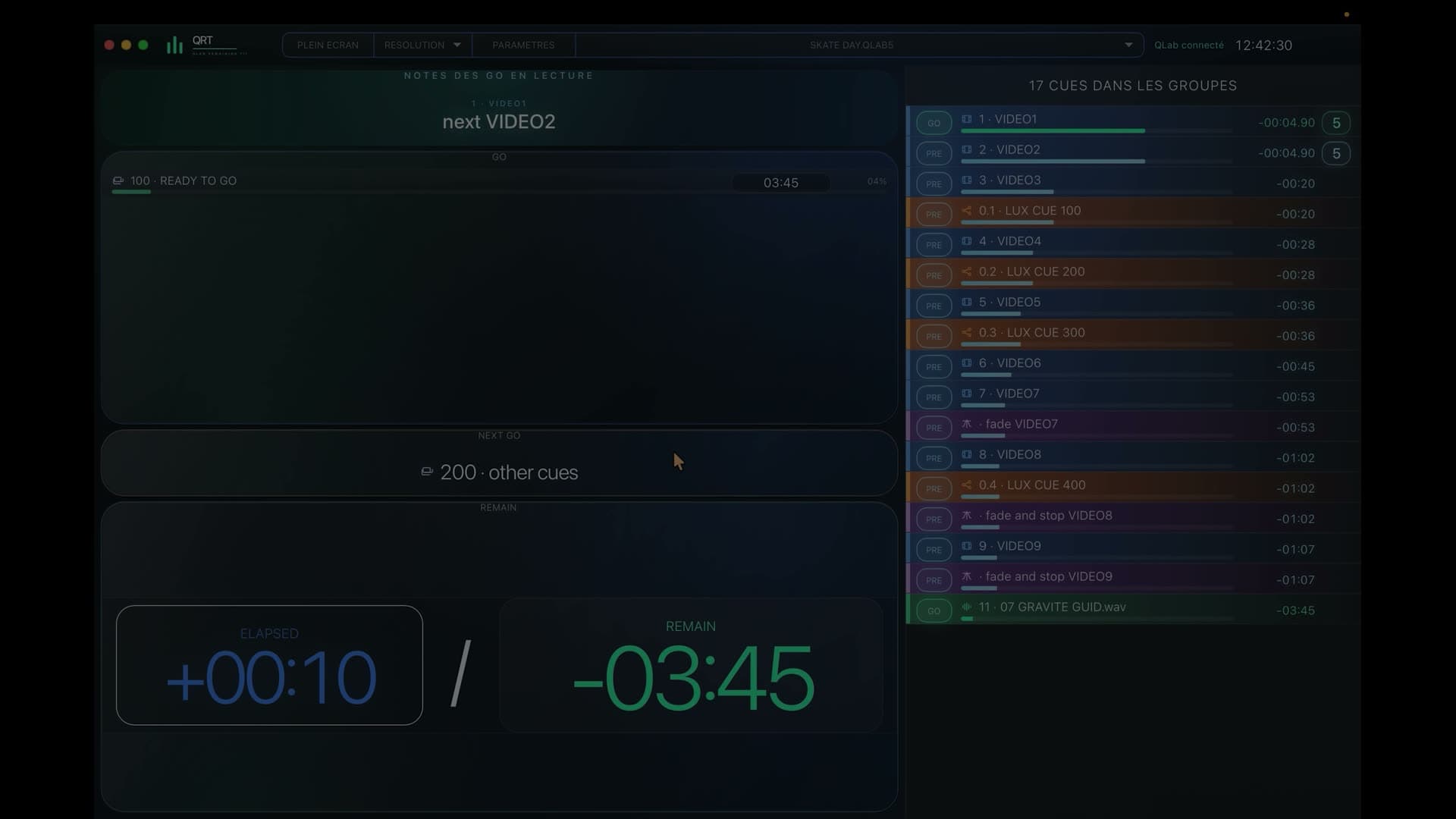
Stage immediately knows where the show is.
QLab stage manager display
QRT brings together what is happening, what comes next and the time to prepare for it in a view designed for stage management.

7-day free trialOne-time purchase · no subscription
In a nutshell
The Stage view follows the rhythm of QLab and places upcoming references in front of the people who need to prepare and call them.
During the show
Stage immediately knows where the show is.
What follows appears early enough to prepare an entrance, change or movement.
Remaining time stays with the action instead of floating as a bare countdown.
The team receives its references without access to QLab controls.
QRT brings the current action, upcoming calls and timing together in an immediate view designed for live production.
Stage, Stage Left and Stage Right can receive distinct views so every team can focus on the entrances, changes and warnings that concern it.
QRT screens share the show in read-only form while control and programming stay at the QLab position.
Before you try it
QRT focuses on following the live show; it complements planning and reporting tools without trying to replace them.
No: the QRT view can open in the browser of the device used at stage.
Yes: Stage Left and Stage Right have distinct views within the Stage profile.
QRT · QLab 5
Try QRT free for 7 days with your own QLab workspace.