Profiles designed for each role
Sound, lighting, video, stage, Stage Left, Stage Right or a custom profile: everyone finds their own references.
QLab remote display for the production team
One workspace simultaneously feeds general control, sound, lighting, video, stage management and every profile unique to your production.

7-day free trialOne-time purchase · no subscription
In a nutshell
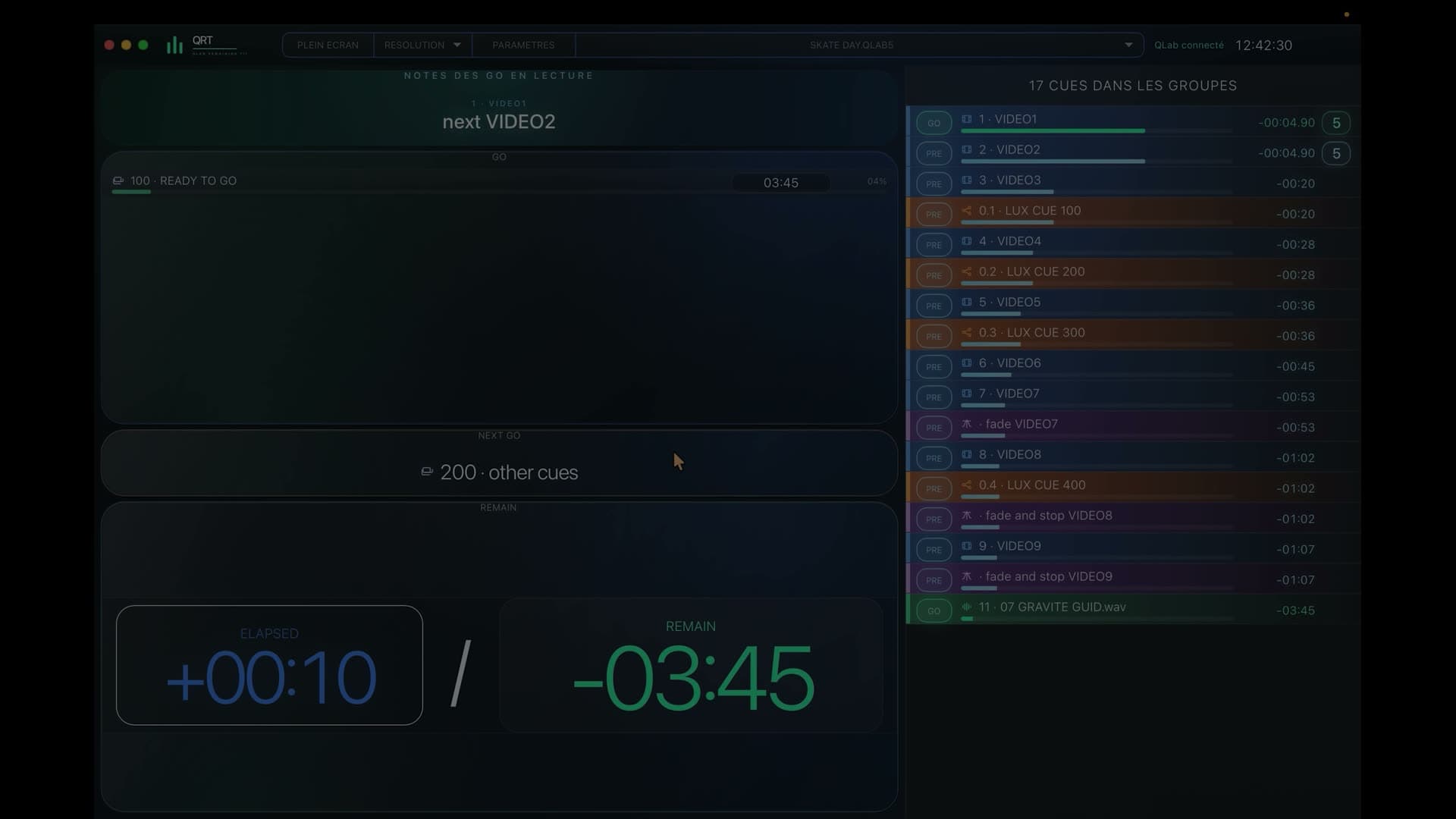
QRT brings the current action, timing, upcoming cues and the wider workspace context into every view. Filtering changes with the role while the whole team stays at the same point in the show.
During the show
Sound, lighting, video, stage, Stage Left, Stage Right or a custom profile: everyone finds their own references.
Upcoming cues appear early enough to confirm what follows and prepare the next start.
QRT follows sequences and nested groups to preserve context even in complex shows.
Mac, PC, tablet and phone display QRT in a browser, while an external display can remain connected to the Mac.
Sound, lighting and video see the active cues, timing and upcoming starts that matter to their work while keeping the general workspace as a shared reference.
Stage, Stage Left and Stage Right receive views shaped around entrances, changes and upcoming calls, with enough time to prepare.
QRT interprets workspace sequences, nested groups and several active groups at once so that every view stays consistent with what is actually playing.
Before you try it
No: QRT shows the current action, timing, upcoming cues and the context needed to understand what follows in the workspace.
Yes: custom profiles adapt a view to a position, a space or the production’s own language.
Yes: several devices can receive different views simultaneously from the same QLab workspace.
QRT · QLab 5
Try QRT’s role profiles and simultaneous displays free for 7 days with your own QLab 5 workspace.